

- 12-17 Min Read
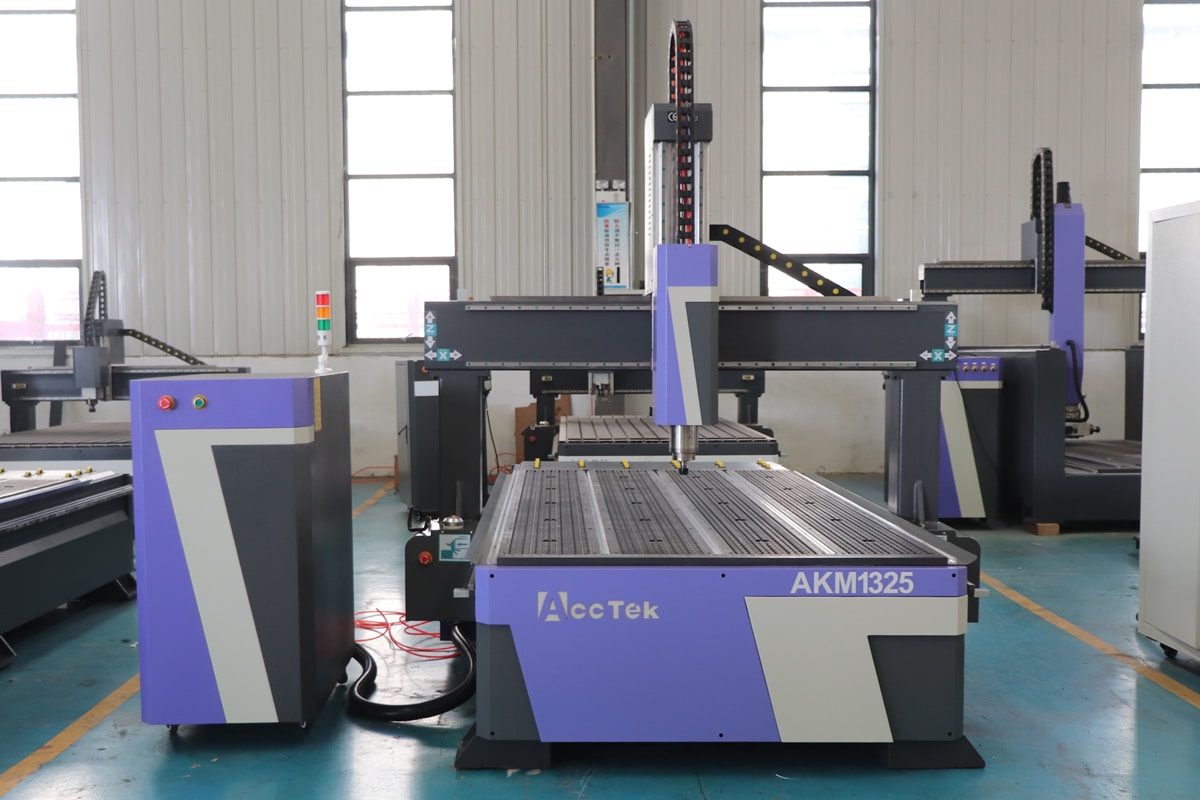
CNC routers are powerful tools that can transform your creative ideas into precision-crafted products. If you’re new to CNC routers, the world of automated machining can seem overwhelming at first. But once you understand the basics and learn how to optimize your machine’s performance, you’ll quickly realize just how powerful and versatile these tools can be. CNC routers allow you to create everything from custom signs to 3D sculptures with unparalleled precision, but maximizing their potential requires more than just pressing a button.
In this article, we’ll guide you through essential tips and tricks to help you get the most out of your CNC router. Whether you’re learning to choose the right machine, adjusting settings for different materials, or fine-tuning your cutting processes for improved accuracy, we’ve got you covered. We’ll also dive into common performance challenges and how to troubleshoot them, as well as share advanced strategies to enhance your efficiency and avoid mistakes. By following these beginner-friendly tips, you’ll be well on your way to unlocking the full capabilities of your CNC router and achieving high-quality results every time.
Getting Started: Understanding the Basics
Before you dive into optimizing your CNC router’s performance, it’s essential to first get a solid grasp of the foundational elements that will set you up for success. From selecting the right machine to setting it up correctly and mastering the software, having a strong foundation is key to getting the most out of your CNC router. Let’s begin with how to choose the right CNC router for your specific needs and move through the setup and calibration process to get your machine ready for optimal performance.
Choosing the Right CNC Router
Selecting the right CNC router is one of the most important decisions you’ll make. The type of router you choose will significantly impact your workflow, project capabilities, and overall results. When evaluating CNC routers, consider the following factors:
- Machine Type: CNC routers come in various configurations, such as 3-axis, 4-axis, and 5-axis. The more axes, the more complex the cuts and designs you can achieve. A 3-axis machine is great for basic projects, while a 5-axis CNC router is ideal for more intricate or multidimensional work.
- Size and Work Area: The work area, or bed size, determines the maximum size of the materials you can cut. Be sure to choose a CNC router with a bed large enough for your typical projects.
- Material Compatibility: Not all CNC routers are built to handle the same materials. Make sure the CNC router you choose can handle the types of materials you plan to work with, such as wood, plastic, metal, or composites.
- Power and Speed: The motor’s power and the CNC router’s speed settings will affect your efficiency and speed in completing projects, especially for tougher materials or thicker stock.
Proper Setup and Calibration
Once you’ve selected the right CNC router, setting it up properly is the next step. Proper calibration is beneficial for ensuring that your machine operates smoothly and delivers precise results. Key steps include:
- Leveling the Machine: Ensure that your CNC router is level. An unlevel machine can lead to poor cut quality and inaccurate results.
- Aligning the Spindle: The spindle is the heart of your CNC router. Ensure that the spindle is straight and secure to avoid uneven cuts.
- Zeroing the Axis: Zeroing the axes (setting the origin point) is a crucial step in ensuring your CNC router starts each job in the correct position. This is usually done manually or via the machine’s control panel.
- Adjusting for Material Thickness: Correctly measuring and adjusting for material thickness is helpful in achieving the desired cutting depth and avoiding unnecessary mistakes.
Software and Control Systems
CNC routers are controlled by specialized software that allows you to create designs, generate tool paths, and control the machine’s movements. Understanding the software and how it communicates with your CNC router is essential for success.
- CAD and CAM Software: To create designs for CNC routing, you’ll need CAD (Computer-Aided Design) and CAM (Computer-Aided Manufacturing) software. CAD is used for creating detailed designs, while CAM software helps translate these designs into instructions that the CNC router can follow. Popular software options for beginners include Fusion 360, VCarve, and Easel.
- G-code: Once your design is complete, the software generates G-code, which is the programming language that tells your CNC router exactly how to move. Understanding the basics of G-code can help you troubleshoot errors and optimize machine performance.
- Control Panel and Interface: Most modern CNC routers come with a control panel or touchscreen interface. Learning how to navigate these controls, adjust settings, and execute commands is helpful in safe and efficient machine operation.
By understanding these fundamental aspects of CNC routing, you’ll be in a much stronger position to optimize your machine’s performance. Once your machine is properly calibrated and you’re comfortable with the control systems, you’ll be able to dive into more advanced techniques and optimization strategies. With these foundational steps in place, you’ll be ready to start maximizing the capabilities of your CNC router and produce precise, professional-level work with confidence.
Optimizing Machine Settings
Once your CNC router is set up and ready to go, the next critical step is optimizing its settings to ensure you get the best performance possible. Even the most advanced machines can underperform if their settings aren’t properly tuned for the material, tool, and task at hand. By optimizing factors like feed rates, spindle speed, tool selection, and routine maintenance, you can enhance your router’s efficiency, precision, and overall lifespan.
Speed and Feed Rates
The speed at which your CNC router operates and the feed rate are essential factors that impact both the quality of your cuts and the longevity of your tools and machine. To optimize these settings:
- Experiment and Adjust: Start with recommended speeds and feeds based on your material and tool, then fine-tune them to match your specific needs. Many CNC router software packages also offer recommendations for different material types.
- Monitor Tool Wear: High feed rates can wear down tools faster. Keep an eye on the tool’s condition and adjust the feed rate accordingly to extend its life.
Tool Selection and Maintenance
Tool selection isn’t just about picking the right shape and size—it’s also about maintaining tools properly for optimal performance.
- Choosing the Right Tool: Select a tool that’s designed for the specific material you’re cutting. For instance, carbide tools are great for hard materials like metal, while high-speed steel (HSS) tools work better for softer materials like wood and plastic.
- Tool Maintenance: Regularly check and maintain your tools. Dull tools not only affect the finish of your work but can also cause the machine to work harder, leading to potential damage. Sharpen or replace your tools as needed to maintain cutting accuracy.
- Tool Changes: Plan your tool changes carefully to reduce downtime. Automatic tool changers (ATCs) are available for more advanced routers, allowing for quick swaps during complex jobs.
Machine Maintenance
Neglecting maintenance can lead to unnecessary wear, reduced precision, and costly breakdowns. Follow these basic machine maintenance tasks to keep your CNC router in top shape:
- Cleaning the Machine: Dust and debris can accumulate in critical areas such as the rails, spindle, and tool holders. Clean your CNC router regularly, especially after long runs, to prevent buildup that could affect performance.
- Lubrication: Ensure that all moving parts, such as the rails, ballscrews, and spindles, are properly lubricated. Lack of lubrication can cause excessive wear, leading to inaccuracies and machine failure.
- Checking and Tightening: Over time, nuts, bolts, and screws can loosen due to vibrations. Periodically check all machine components and tighten them as necessary to ensure everything stays secure.
- Regular Calibration: As your machine ages, its alignment may shift slightly. Perform routine calibration checks to ensure the accuracy of your cuts and to avoid any misalignment issues that could affect performance.
Proper tuning can significantly improve cutting efficiency, accuracy, and tool lifespan, leading to better results in less time. With these optimized settings in place, your CNC router will be ready to tackle a wide variety of projects with ease. In the next section, we’ll take a deeper dive into material considerations, helping you fine-tune your CNC router even further based on the materials you’re working with.
Material Considerations
The material you’re working with plays a significant role in determining how your CNC router performs. Each material has its own properties that affect cutting speed, tool wear, and the overall quality of the finished product. By understanding how different materials interact with your machine, you can fine-tune your settings to get the best results.
Material Compatibility
Not all CNC routers are designed to handle the same range of materials. Each material behaves differently when subjected to cutting, so it’s essential to match your CNC router’s settings to the material you’re using.
- Wood: Wood is one of the most common materials used with CNC routers. It’s relatively easy to cut, but the type of wood can affect the cutting speed and tool wear. Softer woods can be cut faster with a higher feed rate, while harder woods may require slower feed speeds to prevent burning or excessive tool wear.
- Plastic: Plastics like acrylic and PVC require precise speed and feed rate adjustments to avoid melting or warping. Unlike wood, plastics tend to soften when exposed to heat, so using the correct spindle speed and feed rate is key to achieving clean cuts and preventing material deformation.
- Metal: Metals such as aluminum, brass, and steel are much harder and more abrasive than wood or plastic, which requires more power and slower cutting speeds. Metal also produces more heat during cutting, so controlling the feed rate and using proper cooling techniques can help prevent material distortion and tool damage.
Material Thickness and Cutting Depth
When working with materials of varying thickness, it is necessary to adjust your CNC router’s cutting depth to achieve the best results without overloading your machine or damaging your material.
- Depth of Cut: The cutting depth depends on the material and the type of cut you’re making. For thicker materials, you may need to perform multiple passes with shallower cuts rather than trying to cut through the material in one go. This will reduce the strain on your CNC router and prevent overheating of both the material and tool.
- Stepovers and Passes: In addition to adjusting depth, you’ll need to adjust the step-over distance. A smaller stepover can reduce the chance of tool marks and increase cut quality, but may increase overall cutting time. Larger stepovers will speed up the process but may affect surface finish.
- Avoiding Overcutting: Make sure the cutting depth and material thickness are within the specifications of your machine. Overcutting can lead to poor performance, tool damage, and undesirable results.
Dealing with Material Warping and Movement
Material movement during cutting is a common issue, especially with larger or more flexible materials. If your material shifts during the cutting process, it can result in inaccurate cuts, poor surface finish, or even damage to your CNC router.
- Proper Clamping: Secure your material properly to avoid any movement. Use clamps, vacuum tables, or other holding methods that will keep your material firmly in place. The stronger and more stable the material is held, the less likely it is to shift during cutting.
- Material Warping: Materials like wood and plastic can warp due to environmental factors such as humidity or temperature. To prevent warping during machining, ensure that your material is flat before starting the cut. If you’re working with large pieces of wood, consider using a spoil board or flattening jig to ensure an even cutting surface.
- Use of Backing Materials: For materials that tend to be more flexible or prone to bending, use backing boards or support to minimize movement and help ensure a smoother cut.
Understanding how different materials interact with your CNC router, you can make the necessary adjustments to your settings, tool choices, and cutting methods to achieve the best results. Whether you’re working with wood, plastic, metal, or composites, knowing how to handle each material effectively is key to achieving high-quality results. In the next section, we’ll dive into the importance of precision and accuracy, and how you can fine-tune your CNC router to ensure each project meets your exact specifications.
Precision and Accuracy
Achieving precision and accuracy is at the heart of CNC routing. Even the smallest discrepancies in setup, calibration, or settings can lead to subpar results and costly mistakes. Whether you’re creating intricate designs or large-scale components, maintaining tight tolerances is key to producing high-quality, reliable work.
Calibration and Alignment
Proper calibration and alignment of your CNC router are the foundation of precise machining. Without correct calibration, even the most sophisticated machine can yield inaccurate cuts. Here’s what you should check regularly to maintain high precision:
- Machine Calibration: Over time, the machine’s axes may shift slightly due to wear or external factors. Regular calibration ensures that each axis is aligned properly and that the spindle maintains the correct position. Many CNC routers come with calibration tools or software features to assist with this process, but manual checks may be necessary to verify accuracy.
- Spindle Alignment: The spindle should be perfectly aligned with the machine’s axes. Misalignment can lead to uneven cuts, especially on long or multi-pass jobs. You can use a dial indicator or a laser to measure spindle alignment.
- Checking Squareness: Ensure the machine’s frame is square. Any slight tilt or angle in the machine’s frame can cause your cuts to be skewed. Use precision tools, like a square or level, to check the frame alignment.
- Tool Offset Calibration: Ensure that the tool offsets are correct to maintain precision when cutting. Incorrect tool offsets can cause the tool to cut at the wrong depth or location, leading to errors.
Troubleshooting Accuracy Issues
Even with proper calibration and alignment, accuracy issues can still arise during CNC routing. Below are some common problems and how to address them:
- Tool Wear and Dullness: Dull tools can result in inaccurate cuts and poor surface finishes. Make sure to inspect and sharpen tools regularly to prevent wear from affecting your cuts. To replace worn-out tools promptly to maintain cutting accuracy.
- Backlash: Backlash occurs when there is unwanted movement in the machine’s lead screw or rails. This can result in slight deviations during cutting. To mitigate backlash, ensure that your machine’s components are lubricated, tightened, and properly maintained.
- Incorrect Feed Rates: If the feed rate is too high or too low, the machine may struggle to maintain accuracy. Too fast a feed rate can cause vibrations or skipping, while too slow a feed rate may reduce cutting precision. Fine-tuning the feed rate based on the material and tool for maintaining accuracy.
- External Vibrations: External factors, such as vibrations from the work environment, can affect the precision of your cuts. If your CNC router is placed on an unstable surface or if the machine is exposed to external vibrations, consider adding vibration isolation measures, like a sturdier table or dampening pads, to maintain accuracy.
Achieving consistent precision and accuracy in CNC routing requires attention to detail, from proper calibration and alignment to regular maintenance and tool management. By understanding the factors that impact accuracy and addressing common issues, you can significantly improve the quality of your cuts and ensure your projects meet the desired specifications. In the next section, we’ll dive into some advanced tips that will help you further optimize your workflow, reduce mistakes, and maximize efficiency in your CNC routing operations.
Advanced Tips for Beginners
As you gain experience with your CNC router, you’ll start to explore more advanced techniques that can significantly improve your workflow and results. These tips go beyond the basics and are designed to help you optimize your processes, reduce mistakes, and maximize the potential of your machine. While still aimed at beginners, these strategies will allow you to work more efficiently, tackle more complex projects, and improve the quality of your cuts.
Programming Best Practices
CNC programming is at the heart of the machine’s operation. While you may start with simple designs, learning how to optimize your programs will allow you to work faster, reduce errors, and improve the overall quality of your cuts.
- Efficient Toolpath Design: Design your toolpaths to minimize unnecessary movements. Avoid overcomplicating your program with excessive backtracking or redundant motions. Using advanced features like optimizing cuts in one pass, spiral cuts, or the smoothing toolpath curves can improve the efficiency of your machine and reduce production time.
- Toolpath Simulation: Before running the machine, always simulate the toolpath in your CNC software to check for errors. This helps catch issues like collisions or incorrect cutting depths, saving you time, material, and potential damage to your CNC router.
- G-code Optimization: Learn how to write or tweak G-code manually to optimize your operations. For example, reducing the number of tool changes or adjusting the approach angle can make a big difference in efficiency. If your software supports it, using macros and subroutines can simplify and speed up your programming process.
Enhancing Efficiency
Efficiency isn’t just about speed; it’s about making your workflow smoother and reducing unnecessary downtime, so you can get more done in less time while maintaining quality.
- Multitasking: If your CNC router supports multiple axes or has an automatic tool changer (ATC), use this capability to complete multiple tasks in one cycle. For example, you can perform different cutting or drilling operations sequentially without the need for manual intervention, minimizing downtime between operations.
- Tool Offsets: Tool offsets can significantly improve cutting efficiency by ensuring that your tools are always working at their optimal positions and depths. Make sure your offsets are properly programmed to avoid wasted movements and unnecessary tool changes.
- Workholding and Setup: Organize your materials and workholding methods to speed up the setup process. Consider using quick-change fixtures or preset material clamping systems to reduce downtime when switching projects or materials. Pre-setting your tools in the machine or off the machine can also save time.
Preventing Common Mistakes
As you advance in CNC routing, it’s necessary to be aware of common mistakes that many beginners can make. Preventing these errors will not only improve the quality of your work but also reduce wasted materials, machine downtime, and frustration.
- Overestimating the Machine’s Capacity: It’s tempting to try to cut larger or thicker materials than your CNC router can handle, but doing so can lead to damage to the machine or poor results. Be sure to stay within the recommended specifications for your router’s power, speed, and material handling capacity.
- Skipping Calibration: Even experienced CNC users sometimes skip routine calibration, which can lead to inaccuracies in the cuts. Always calibrate your machine regularly, particularly when switching between materials or after extended use.
- Ignoring Tool Wear: As tools wear, they may still appear to function fine, but their cutting performance will degrade over time. Regularly check tool sharpness and condition, and replace or re-sharpen tools when necessary. Tools that are worn or damaged can lead to poor cuts, excessive friction, and even machine damage.
- Incorrect Material Handling: Material movement during cutting is one of the most common problems, especially when dealing with larger or flexible materials. Ensure that your materials are properly secured before starting any project. Invest in good-quality clamps, vacuum systems, or custom fixturing to ensure that the material remains stable throughout the cut.
Mastering these advanced tips will allow you to get the most out of your CNC router, helping you work more efficiently, reduce errors, and achieve higher-quality results. By refining your programming techniques, optimizing your workflow, and being mindful of common pitfalls, you’ll be able to tackle more complex projects with confidence. These strategies will not only boost your productivity but also enhance your skills, taking your CNC routing experience from good to great. As you continue to experiment and refine your approach, these advanced tips will serve as a valuable foundation for your ongoing growth as a CNC operator.
Summarize
Maximizing your CNC router’s performance involves a combination of understanding the machine’s settings, selecting the right tools, and continuously refining your techniques. By applying the tips and tricks shared in this article, you can unlock the full potential of your CNC router, improving both the quality and efficiency of your work. From optimizing machine settings to selecting the right tools and materials, these strategies will help you achieve more precise, consistent results with every project. Continue reading “Troubleshooting Guide: Common CNC Router Problems Explained” to learn how to troubleshoot machine problems and operate it with confidence.
AccTek CNC is a professional manufacturer of CNC routers, offering a wide range of machines designed for precision, efficiency, and durability. Based on the tips and strategies outlined in this article, AccTek CNC routers are built to help users maximize performance and achieve professional-level results. Whether you’re a beginner or an experienced operator, AccTek provides the reliability, advanced features, and expert support needed to optimize your machine settings, enhance your workflow, and tackle complex projects with confidence. With AccTek’s state-of-the-art technology and commitment to customer satisfaction, our CNC routers are an ideal choice for anyone looking to elevate their CNC routing experience.