

- 15-19 Min Read
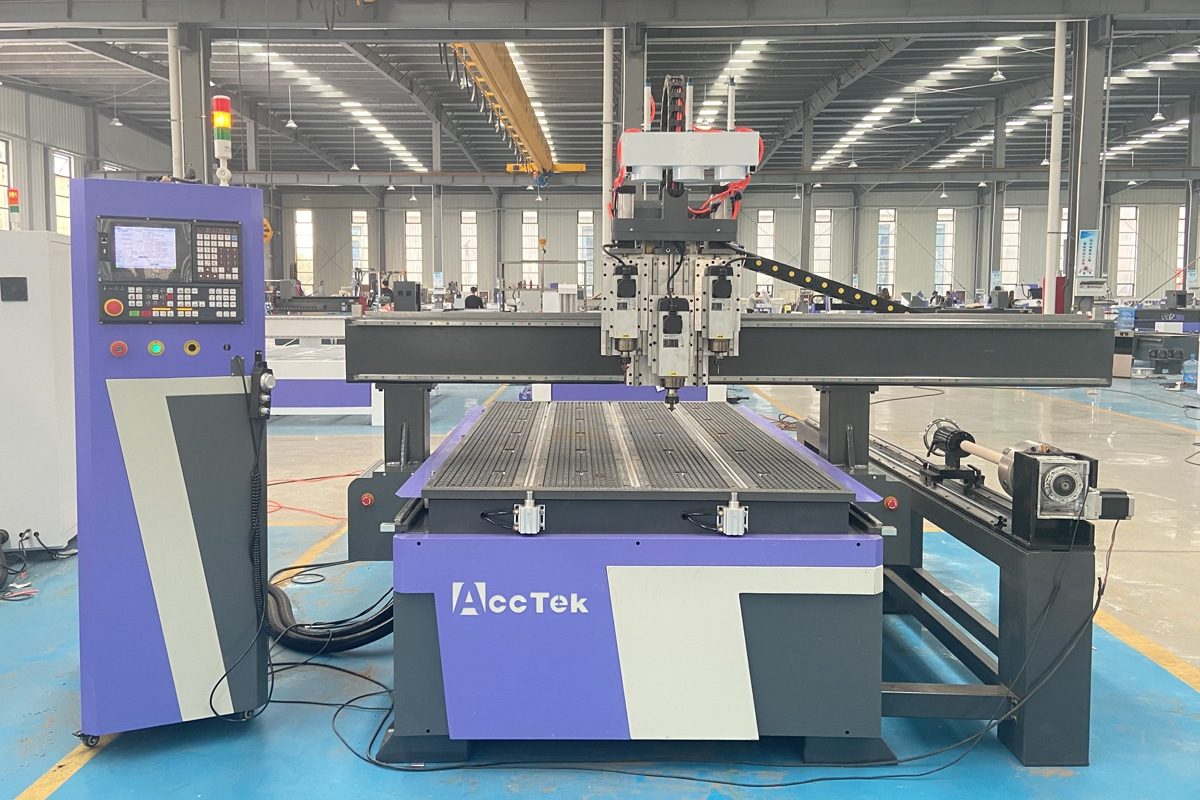
CNC routers are indispensable tools in modern manufacturing, enabling precision cutting and shaping across a wide range of materials, from wood to metal and plastics. In industries such as sign-making, cabinetry, and art sculpture, the efficiency of these machines directly impacts production speed, cost-effectiveness, and overall quality. However, like any sophisticated piece of machinery, CNC routers require careful attention to ensure they operate at their full potential.
Maximizing CNC router efficiency involves optimizing the entire workflow, from machine setup and tooling selection to regular maintenance and post-operation practices. By adopting best practices, operators can minimize downtime, reduce material waste, and extend the lifespan of their equipment, all while maintaining the precision and quality that CNC routers are known for. This article will explore key operational strategies to help businesses get the most out of their CNC routers, ensuring both peak performance and long-term reliability.
Understanding CNC Router Efficiency
To fully understand the concept of CNC router efficiency, it’s important to look beyond the basic function of the machine and consider how well it performs in various operational aspects. Efficiency in CNC routers is a multifaceted measure that involves balancing speed, precision, and resource consumption to achieve optimal results. The ultimate goal is not just completing a task quickly, but doing so with minimal waste, energy usage, and wear on the machine.
Defining Efficiency in CNC Routers
At its core, CNC router efficiency is the measure of how well the machine operates in achieving optimal results within the least amount of time and resources. This includes factors such as:
- Cycle time: The total time it takes for the CNC router to complete a task, from start to finish. A shorter cycle time means that the machine can complete more tasks in less time, increasing overall productivity.
- Material Utilization: Maximizing material utilization means getting the most out of your raw materials with minimal waste. In a CNC router environment, this involves efficient nesting, proper material placement, and minimizing scrap.
- Energy Efficiency: As CNC routers are often running for extended periods, energy consumption is an important factor in defining efficiency. An energy-efficient CNC router consumes less power to perform the same tasks, which can reduce operational costs and environmental impact.
- Tool life and maintenance: The longevity of cutting tools and how often they need to be replaced or maintained to keep the machine running smoothly. Tools that are sharp and well-maintained perform better, resulting in cleaner cuts, fewer tool changes, and higher overall efficiency.
The Impact of Inefficiency
Inefficiency in CNC router operations can have far-reaching consequences, affecting not just production timelines but also overall profitability, product quality, and machine longevity. Here’s a breakdown of how inefficiency can impact CNC router operations:
- Increased Cycle Time: Slow cutting speeds or incorrect settings can lead to longer processing times. The longer it takes to complete each operation, the fewer tasks the machine can perform in a given period, reducing overall productivity.
- Material Waste: Poor nesting, improper cutting paths, or incorrect settings can lead to excess scrap, increasing material costs. Additionally, when material isn’t used optimally, it can negatively affect the production budget and bottom line.
- Higher Operating Costs: Inefficiency also contributes to higher operating costs, whether through unnecessary energy consumption or the need for more frequent tool replacements.
- Competitive Disadvantage: Competitors who operate more efficiently can offer faster production times and lower prices, giving them an edge in the market. In contrast, companies with inefficient operations may struggle to meet customer expectations, leading to diminished profitability.
CNC router efficiency isn’t just about maximizing speed—it’s about achieving a harmonious balance between speed, accuracy, and resource management. When efficiency is optimized, CNC routers can consistently deliver high-quality results while reducing costs and extending the life of the equipment. Understanding the key elements that define efficiency allows businesses to make informed decisions that improve both short-term productivity and long-term operational success.
Pre-Operation Best Practices
The foundation of a smooth and efficient CNC router operation starts long before the machine begins cutting. Pre-operation best practices ensure that the machine is properly set up, all components are in optimal condition, and the environment is prepared to support high-quality, precise results. By following these essential steps, operators can prevent potential issues, reduce downtime, and ensure that the router operates at its highest level of performance.
Proper Machine Setup and Calibration
Before starting any project, it’s essential to ensure that the CNC router is correctly set up and calibrated. This includes:
- Alignment checks: Verify that the machine’s axes are properly aligned. Misalignment can cause issues with accuracy and lead to costly rework.
- Zeroing and homing the machine: Make sure the router’s reference points are correctly set to avoid errors in positioning during the cutting process.
- Leveling the work surface: Ensure that the machine bed is level. An uneven surface can lead to inconsistent cutting depths and poor-quality results.
A well-calibrated machine ensures that the tool moves precisely along its path, reducing the risk of errors during the operation.
Tool Selection and Inspection
Choosing the right tool for each specific material and task is beneficial for achieving optimal results. Operators should:
- Select the appropriate tool for the job: Consider factors like material type, cutting speed, and required precision when choosing cutting tools. Using the wrong tool can cause excessive wear on both the tool and the material, reducing efficiency.
- Inspect tools for wear: Check cutting tools before each operation for signs of wear or damage. Dull tools can slow down production, increase heat generation, and negatively affect cut quality. Regularly replace or sharpen tools to ensure consistent performance.
Proper tool selection and maintenance prevent unnecessary delays and help maintain high-quality cuts throughout the production process.
Software Preparation and Program Optimization
The software driving the CNC router is just as important as the physical machine. Proper software preparation helps reduce errors and improve cutting efficiency:
- Optimize the CAM program: Ensure that the cutting paths are optimized for speed and precision. Redundant movements or inefficient tool paths can increase cycle time unnecessarily.
- Run simulations: Many CNC software programs include simulation tools that allow operators to visualize the toolpath before running the actual job. Simulating the process can help identify potential issues, such as collisions or incorrect tool paths, before they affect the production run.
- Check machine parameters: Ensure that parameters such as feed rates, cutting speeds, and tool offsets are correctly set for the material being processed. Incorrect settings can lead to inefficient cutting, excessive wear on tools, or poor-quality output.
By ensuring the software and toolpaths are properly optimized, operators can reduce the risk of errors during the operation and ensure a smoother, more efficient cutting process.
Safety and Work Environment Setup
A well-prepared workspace ensures that the machine can operate efficiently while maintaining safety standards:
- Clear the workspace: Ensure that the work area is free of clutter, debris, or obstructions that could interfere with the CNC router or operator.
- Ensure proper ventilation: CNC routing can produce a lot of dust, especially when cutting wood or plastic. A well-ventilated workspace with dust extraction systems in place helps keep the work environment clean and protects both the machine and operator.
- Check safety equipment: Make sure all safety guards, emergency stop buttons, and protective equipment are in place and functioning properly before starting operations.
A safe and organized workspace promotes efficiency and helps protect both the operator and the machine.
Pre-operation best practices set the stage for a successful CNC router job by ensuring that the machine, software, and work environment are all optimized for the task ahead. Taking the time to properly set up and inspect the machine, tools, and materials before beginning the operation will save time, reduce errors, and prevent costly delays during production. With everything in place, operators can begin the job with confidence, knowing that the machine is set up for optimal performance.
In-Operation Best Practices
Once your CNC router is set up and ready to go, maintaining its efficiency during the actual operation helps ensure that the machine performs at its best. In-operation best practices are all about optimizing performance in real-time to achieve the highest possible output with minimal waste. By following these best practices, operators can keep the machine running smoothly, reduce downtime, and ensure that each cut is precise, clean, and of the highest quality.
Speed and Feed Optimization
These settings of speed and feed rates determine how fast the tool moves through the material and how deep it cuts at each pass. Improper speed or feed rates can lead to suboptimal results. Here are some suggestions:
- Match speed and feed to material: Different materials require different cutting speeds and feed rates. Using the manufacturer’s recommended settings or running material-specific tests will help find the right balance.
- Adjust parameters for tool type and geometry: The size, shape, and material of the cutting tool influence the optimal speed and feed rates. Ensure that the cutting tool’s specifications are taken into account when determining these parameters.
- Monitor for chip load: Maintain a consistent chip load to ensure efficient material removal without overloading the tool or machine.
By fine-tuning these settings, operators can achieve faster cycle times without sacrificing quality.
Real-Time Monitoring and Adjustments
Ongoing monitoring during CNC router operations is key to ensuring everything is running smoothly and efficiently. Using real-time monitoring systems can help operators catch potential issues early, minimizing downtime and maximizing throughput.
- Utilize sensors and feedback systems: Many modern CNC routers come equipped with sensors that provide feedback on key metrics. These systems allow operators to track machine performance in real-time and make adjustments on the fly.
- Watch for anomalies: Pay attention to any unusual sounds, vibrations, or changes in the cut quality. Early detection helps prevent costly errors or machine damage.
- Monitor temperature: Excessive heat buildup can affect both the material and the tool. Keep an eye on temperature levels, particularly when cutting metals or other heat-sensitive materials.
By actively monitoring machine performance and making adjustments when necessary, operators can prevent inefficiencies before they disrupt the operation.
Ensuring Tool Integrity
Throughout the operation, worn or damaged tools can significantly affect workpiece quality and machine efficiency, so it is necessary to keep an eye on the condition of the cutting tools.
- Monitor tool wear: Depending on the material and the cutting process, tools can wear down quickly. Regularly check for signs of wear, such as reduced sharpness or uneven cutting. Using an automatic tool changer (ATC) system or keeping a spare tool ready can minimize downtime if a tool needs to be replaced mid-operation.
- Tool condition checks during breaks: During scheduled breaks or pauses, inspect tools to ensure they are still in good condition. This allows you to swap out worn tools before they affect the quality of the output or cause machine damage.
Maintaining tool integrity during operation helps avoid downtime and ensures the machine continues to perform optimally.
In-operation best practices are key to ensuring that the CNC router operates at its highest level of efficiency. From optimizing cutting speeds and feeds to actively monitoring machine performance, each step during the operation contributes to a more efficient and productive process. By consistently applying these practices, operators can minimize downtime, reduce material waste, and achieve high-quality results, making the most of their CNC router investment.
Post-Operation Best Practices
Once the CNC router has completed its task, the focus shifts to proper post-operation practices to ensure the machine remains in top condition and that future operations can proceed smoothly. Post-operation best practices not only help preserve the machine’s integrity and extend its lifespan but also contribute to the overall efficiency of the manufacturing process. Proper post-operation care also aids in preparing the workspace for the next job and minimizes downtime due to maintenance or unforeseen issues.
Tool Inspection and Cleaning
After completing a job, the cutting tools should be carefully inspected and cleaned to prevent premature wear and maintain their effectiveness for future use.
- Inspect tools for wear and damage: Check the cutting tools for any signs of wear, chipping, or dullness. Tools that have been exposed to extended cutting times or harsh materials may need sharpening or replacement.
- Clean tools thoroughly: Use appropriate cleaning methods to remove material residue, chips, and buildup from tools. Keeping tools clean prevents contamination and extends their lifespan.
- Store tools properly: After cleaning, store tools in a dry, organized, and safe manner. Proper tool storage helps prevent damage or rust and makes it easier to find the right tool for the next operation.
Regular tool inspection and care contribute significantly to both tool longevity and consistent machine performance.
Machine Cleaning and Maintenance
Keeping the CNC router clean after each operation is beneficial for reducing wear and ensuring smooth performance in subsequent jobs.
- Clean the machine bed and workspace: After each operation, remove any residual dust, chips, and debris from the machine bed, rails, and other components.
- Lubricate moving parts: Check and lubricate all moving components, including the rails, spindles, and ball screws, to reduce friction and prevent wear.
- Inspect the coolant system: If using a coolant or lubrication system, check that it is functioning correctly and refill as necessary. Ensure that there are no blockages or leaks.
By keeping the machine clean and well-maintained, you reduce the risk of breakdowns, improve cutting precision, and extend the overall life of the equipment.
Post-Operation Diagnostics
After each operation, performing basic diagnostic checks on the machine can help catch early signs of wear or potential issues before they become major problems.
- Check for alignment: Misalignment can occur due to tool wear or material shifts during the cutting process. Performing routine alignment checks after each operation will ensure that the machine is always in top working condition.
- Monitor performance logs: If your CNC router has a monitoring system, review performance logs to check for any irregularities. Keeping track of these issues helps identify patterns and potential problems that need to be addressed.
- Perform system checks: Test the key components to ensure they are functioning correctly. Address any system errors or alarms promptly to avoid potential downtime during the next operation.
Routine diagnostics help maintain machine reliability and allow operators to take corrective action before small issues escalate into larger, more costly problems.
Post-operation best practices are key to maintaining the CNC router’s reliability and ensuring that each production cycle is as efficient as the last. By inspecting tools, cleaning the machine, and performing diagnostics, operators can prolong the life of the CNC router, reduce downtime, and improve overall efficiency in future operations. This commitment to post-operation care ensures that the machine is always prepared for the next job and helps maintain a smooth, efficient workflow.
Employee Training and Workflow Optimization
Maximizing CNC router efficiency goes beyond just machine setup and maintenance; it also involves ensuring that employees are well-trained and that workflows are optimized for maximum productivity. Skilled operators, efficient communication, and a streamlined workflow are beneficial for minimizing downtime, reducing errors, and maintaining high-quality output.
Training Operators for Efficiency
A highly skilled operator is a critical asset in maximizing the performance of a CNC router. Proper training ensures that operators are able to perform tasks quickly and accurately, minimizing errors and downtime.
- Comprehensive Initial Training: New operators should undergo thorough training that covers not only the basics of CNC router operation but also how to optimize machine settings, troubleshoot common problems, and understand software interfaces. The more well-rounded their knowledge, the more efficiently they can operate the machine.
- Advanced Skills and Problem-Solving: For more experienced operators, provide advanced training in areas such as fine-tuning machine parameters, interpreting diagnostic data, and recognizing the signs of tool wear or misalignment. The ability to solve problems on the fly will reduce downtime and prevent inefficiencies during operation.
- Safety Protocols and Preventive Maintenance: Ensuring that operators are well-versed in safety protocols. Additionally, operators should be trained to perform basic maintenance tasks. This allows the operator to detect issues early and keep the machine running smoothly without having to rely on outside technicians for every minor problem.
Regularly updating training materials and conducting refresher courses will keep operators current on best practices and technological advancements, ensuring maximum efficiency at all times.
Optimizing Workflows
Optimizing workflows in a CNC router environment involves organizing both the physical workspace and the sequence of tasks to minimize downtime and inefficiencies. A well-designed workflow leads to a smoother production process, reducing unnecessary steps, material waste, and operator fatigue.
- Machine and Tool Organization: Place machines, tools, and materials in a logical order based on the production flow. Having tools and components within easy reach also speeds up tool changes and reduces the chances of errors.
- Clear Production Flow: Designate clear stations for each part of the process. A well-defined flow reduces unnecessary movement and confusion, allowing workers to focus on their tasks rather than navigating a disorganized workspace.
- Minimize Material Handling: Materials should be stored in such a way that they are easily accessible for the next step in the production process. Use hoists or other automated tools to move large sheets or heavy materials to reduce physical strain on operators and minimize the time spent transporting materials.
- Optimizing Tool and Machine Setup: Standardize machine settings for frequently run jobs. For more custom projects, pre-programming toolpaths and optimizing cutting sequences through the CAD/CAM software helps avoid unnecessary rework.
- Use of Lean Manufacturing Principles: Lean principles focus on eliminating waste and streamlining operations. In CNC router workflows, this can include reducing excess inventory, optimizing production scheduling, and minimizing the time spent on non-value-added activities.
Continuously refining workflows and adapting them to changing demands, operators can significantly reduce time spent on setup, material handling, and transition between tasks, leading to higher productivity and less wasted effort.
Troubleshooting Common Efficiency Issues
Even with the best preparations and practices in place, CNC routers can experience efficiency-related issues that can hinder production and reduce output. Identifying and troubleshooting these issues promptly is key to maintaining smooth and efficient operations. From inconsistent cut quality and excessive tool wear to software glitches and material waste, understanding the common problems that can arise—and knowing how to fix them—ensures that production remains on track.
Inconsistent Cutting Quality
Inconsistent cutting quality can significantly affect both the appearance and functionality of the final product. Poor cut quality can lead to rework, material waste, and increased production time. Here are the solutions:
- Inspect and replace cutting tools: Regularly check tools for wear and replace them when necessary. Dull tools should be sharpened to ensure smooth cuts.
- Re-calibrate machine settings: Adjust the feed rate, cutting speed, and depth according to the material’s properties. Refer to the machine’s manual or material-specific guidelines to ensure the right settings.
- Check machine alignment: Regularly check the machine’s alignment to ensure the tool paths remain accurate and consistent. Use the machine’s built-in calibration features or perform manual checks.
High Tool Wear
Excessive tool wear can lead to frequent tool replacements, higher material costs, and increased downtime for tool changes. It can also result in poor cut quality, as worn tools are less effective. Here are the solutions:
- Optimize cutting parameters: Adjust feed rates, cutting speeds, and depths based on the material being cut to reduce tool stress. Use the manufacturer’s recommendations or trial-and-error testing for ideal parameters.
- Ensure proper cooling and lubrication: Check that the coolant system is functioning correctly and that the tool is properly lubricated during the cutting process. Use the appropriate coolant for the material to keep temperatures within optimal limits.
- Inspect material quality: If possible, inspect the material for defects before cutting. Use quality materials with consistent properties to reduce the likelihood of uneven wear.
Software and Programming Issues
Inefficiencies can also stem from problems with the software or programming used to control the CNC router. Improper tool paths, incorrect programming, or software glitches can lead to wasted material, longer cycle times, and poor-quality cuts. Here are the solutions:
- Optimize tool paths: Use nesting software to optimize tool paths, reducing unnecessary movements and cutting time. Regularly review and update programs to ensure that they are as efficient as possible.
- Double-check program settings: Before running a job, check all program settings, including tool offsets, cutting speeds, and feed rates. Make sure the program is customized for the specific material and machine.
- Update and maintain software: Keep your CNC software up to date to ensure that it is running smoothly. Regularly check for updates or patches that fix bugs or improve performance.
Material Waste
Material waste can occur when the material is not utilized efficiently, either due to improper nesting, inaccurate cuts, or excessive offcuts. Reducing material waste is key to improving CNC router efficiency. Here are the solutions:
- Optimize nesting: Use advanced nesting software to arrange parts in the most efficient layout possible, reducing waste and maximizing material usage.
- Fine-tune cutting parameters: Make sure that cutting speeds, depths, and tool paths are adjusted to prevent overcuts and excessive material loss.
- Check machine alignment: Regularly verify that the machine is properly aligned and calibrated to ensure that cuts are accurate and consistent.
Troubleshooting common efficiency issues in CNC router operations helps maintain high productivity and minimize downtime. By addressing issues such as inconsistent cutting quality, excessive tool wear, software glitches, and material waste, operators can ensure smooth operations and high-quality output. Regular maintenance, proper calibration, and continuous monitoring of machine performance can help identify issues early, ensuring smoother operations and less costly delays. Implementing these troubleshooting techniques will not only enhance efficiency but also help maximize the longevity and reliability of CNC routers in the long run.
Summarize
To maximize CNC router efficiency, it’s needed to implement best practices across all stages of operation, from preparation and execution to maintenance. By ensuring proper machine setup, optimizing cutting parameters, providing comprehensive employee training, and maintaining a clean, organized workspace, businesses can reduce downtime, enhance productivity, and minimize waste. Additionally, regular monitoring and troubleshooting of common efficiency issues will help identify potential problems before they escalate, ensuring smoother operations and higher quality outputs. Adopting these operational best practices enables companies to fully leverage the capabilities of their CNC routers, resulting in more cost-effective and reliable manufacturing processes.
AccTek CNC is a leading provider of high-quality CNC routers, offering a wide range of machines designed to meet the needs of various industries. With a commitment to precision, reliability, and innovation, AccTek CNC delivers cutting-edge solutions that enhance production efficiency and output quality. In addition to offering top-notch equipment, we provide exceptional technical support, ensuring that users can fully maximize their machines’ capabilities. Whether you’re a small business or a large-scale manufacturer, AccTek CNC’s machines and expert assistance will help you achieve optimal performance and success in your CNC operations. For those looking to invest in a high-performance CNC router, AccTek CNC is a trusted partner that prioritizes both product excellence and customer satisfaction.