

- 15-20 Min Read
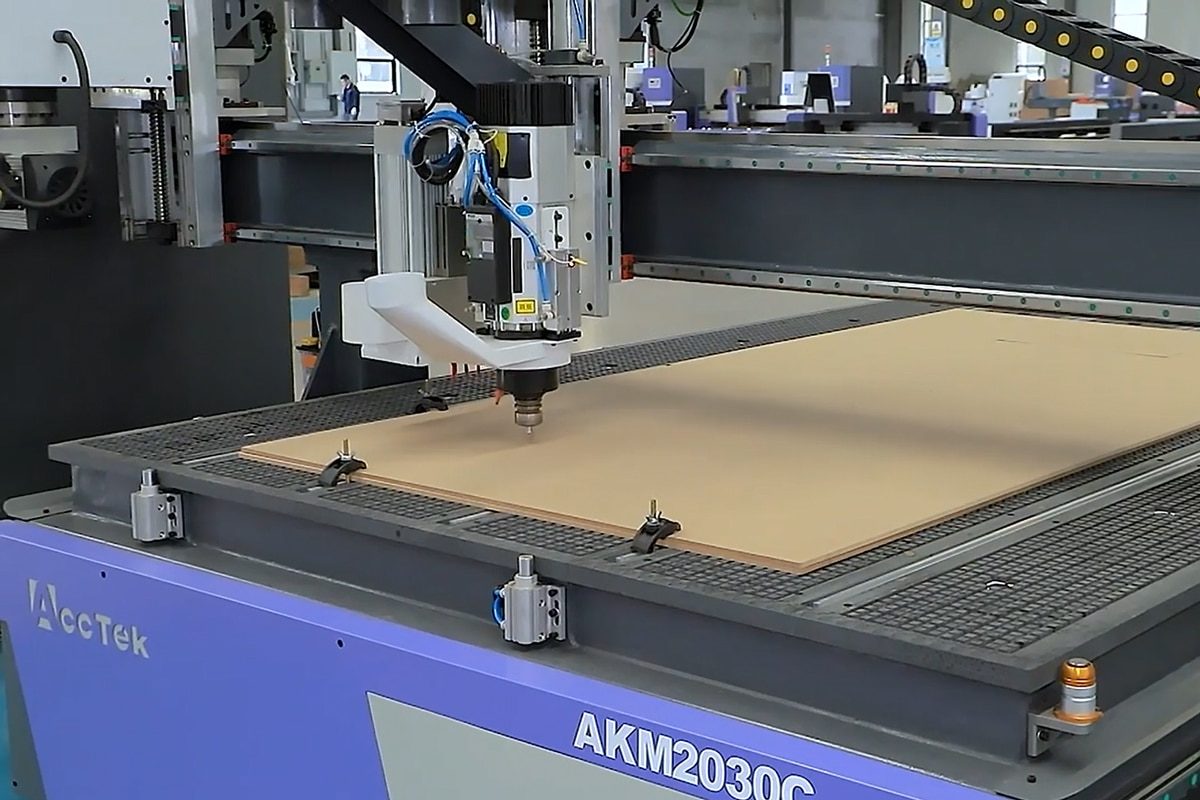
In the world of CNC machining, especially within the signage industry, speed and efficiency are paramount. As businesses strive to meet tight deadlines and increase throughput, optimizing toolpaths becomes a critical factor in achieving faster production times without sacrificing quality. Toolpath optimization involves carefully planning the movement of the cutting tool, from the initial entry to the final exit, in a way that minimizes machine idle time and maximizes material efficiency.
In this article, we will explore how to effectively optimize CNC router toolpaths specifically for the fast production of signage. From understanding the basics of toolpaths to mastering advanced strategies for cutting different materials, this guide covers everything you need to enhance your production workflow. Readers will learn how to select the right tools, materials, and software settings to improve productivity and consistency in their signage projects, ensuring smoother workflows and higher profit margins.
Understanding CNC Router Toolpaths
CNC routers are powerful machines used in the production of signs, and the toolpath is a key element that dictates how the router moves through the material. Simply put, a toolpath is the planned route that the CNC router’s cutting tool follows to complete a specific job. The efficiency and accuracy of this path directly influence the speed of production and the quality of the final product. Let’s break down the essentials of CNC router toolpaths and their role in signage production.
What is a Toolpath?
A toolpath defines the specific movements the CNC router makes, including the direction, speed, depth, and positioning of the tool as it cuts through material. Toolpaths are programmed in advance using CAD/CAM software and are tailored to each project’s specific design and material needs. Essentially, the toolpath directs the machine where to move, at what speed, and in which pattern to make precise cuts, engravings, or carvings.
Types of Toolpaths for Signage Production
There are several types of toolpaths that CNC routers can follow, depending on the material and design of the signage. Some common toolpath types for signage production include:
- Contour Toolpath: This type of toolpath is used for cutting along the outer edge of a design. It’s ideal for creating the borders of signs or cutting out shapes from larger panels. Contour paths can be run either inside or outside the design, depending on whether you want the tool to cut along the edge of the material or offset from it.
- Pocket Toolpath: A pocket toolpath removes material from an area within a defined outline, creating a recess or cavity. It’s typically used for engraving or creating a flat surface within a specific area, such as cutting out text or logo details from a sign.
- Engraving Toolpath: Engraving toolpaths are used to carve fine details into a material, such as logos or text. They typically use smaller bits for high precision and are often employed in signage to create intricate patterns or fine lettering.
- Drilling Toolpath: This toolpath is designed to make holes in the material, commonly used in the production of signage that requires mounting holes or specific anchor points.
How Toolpaths Affect Signage Production
The type and design of toolpaths you select will impact several aspects of the production process:
- Speed: The complexity of a toolpath affects how quickly the CNC router can complete the job. Simpler, more direct toolpaths tend to be faster, while intricate paths with numerous changes in direction may slow down the process.
- Quality: Precision in the toolpath ensures that the final product matches the design specifications exactly, minimizing errors and material waste. Optimizing toolpaths ensures high-quality cuts without overworking the machine.
- Material Utilization: Properly designed toolpaths reduce the amount of wasted material by efficiently cutting shapes and details from the material. This can be particularly important for high-cost materials like acrylic or metal.
Understanding the different types of toolpaths and how they work can help you make more informed decisions about how to design your cuts, how to optimize machine time, and how to balance speed and accuracy for maximum production efficiency in signage manufacturing. Whether your priority is reducing production time, enhancing precision, or maximizing material efficiency, the right toolpath will ensure you achieve your desired outcomes. With this knowledge, you’re now ready to explore advanced strategies and techniques to further optimize your toolpaths for faster, more efficient signage production.
Factors Affecting Toolpath Optimization
Optimizing CNC router toolpaths is a balance between maximizing efficiency, maintaining precision, and accommodating the specific needs of the material being used. Several factors influence how a toolpath can be optimized for faster production while still achieving high-quality results. Understanding these factors allows you to tailor your toolpaths to meet the specific needs of each project, ensuring both speed and precision.
Material Type and Thickness
Different materials, such as wood, acrylic, and metals, have distinct properties that affect cutting speed, tool selection, and path design.
- Hardness of the Material: Harder materials like metals or dense hardwoods require slower cutting speeds and more passes to avoid damaging the tool or the material. Softer materials like foam or plastic can be cut faster, allowing for more aggressive toolpath strategies.
- Thickness of the Material: Thicker materials require deeper cuts and more time to complete. Toolpaths must be adjusted to take multiple passes if the material is too thick for a single cut. For thinner materials, faster, shallower cuts can help speed up production without sacrificing precision.
Router Speed and Feed Rate
Router speed and feed rate are two critical elements that impact the time it takes to complete a toolpath.
- Speed refers to the rotational speed of the cutting tool, measured in revolutions per minute (RPM). Higher speeds can be used on softer materials, while lower speeds are necessary for harder materials to prevent tool wear or overheating.
- Feed rate is the speed at which the tool moves through the material. A higher feed rate can reduce cutting time but may result in a less precise cut if pushed too aggressively. Conversely, a lower feed rate may yield higher precision but at the expense of slower production times.
Tool Selection
The type of tool you use can drastically affect toolpath efficiency and cutting time. Tool selection is determined by several factors:
- Tool Material: Carbide tools, for example, are harder and can withstand higher speeds and longer cutting times compared to high-speed steel tools. This means you can push toolpaths to higher speeds with carbide tools, optimizing production time.
- Tool Size and Shape: Larger tools cover more material in one pass, reducing the number of passes needed. However, smaller tools are necessary for finer detail work, such as engraving or cutting intricate shapes in signage. The choice of tool impacts both the speed of cutting and the precision of the final cut.
- Tool Geometry: The geometry of the tool affects how efficiently material is removed. Tools with more flutes can remove more material per pass, allowing for faster cutting, while tools with fewer flutes are typically used for more delicate work.
Machine Capabilities and Settings
The specific capabilities of your CNC router, such as the maximum feed rate, spindle speed, and acceleration, can impact how efficiently the toolpaths are executed.
- Machine Limitations: Understanding the limits of your machine will help in setting the optimal feed rates and speeds for the toolpath. For example, attempting to run a toolpath too fast for the machine’s capabilities can result in inaccurate cuts and equipment strain, slowing down production in the long run.
- Optimization Software: Some CNC routers come with built-in optimization features that can automatically adjust the toolpath for maximum efficiency. Familiarizing yourself with these settings can help you fine-tune your toolpath for faster, more effective cutting.
By taking into account the factors that affect toolpath optimization, you can significantly enhance both the speed and quality of your CNC router operations. Each element plays a role in shaping how your machine cuts, how much material is removed, and how quickly the job is completed. With a solid understanding of these factors, you can implement more effective toolpath strategies, ultimately leading to faster, more efficient signage production without sacrificing precision or quality.
Strategies for Optimizing CNC Router Toolpaths
Once you understand the key factors that affect toolpath optimization, the next step is to apply specific strategies to enhance the efficiency of your CNC router. Optimizing toolpaths involves minimizing cutting time, reducing tool wear, and ensuring high-quality results. Here are several proven strategies that can help you get the most out of your CNC router, speeding up production without compromising the quality of your signage.
Minimize Travel Time and Non-Cutting Movements
One of the easiest ways to optimize toolpaths for faster production is to reduce travel time—the time the tool spends moving between cutting areas without making any cuts.
- Efficient Toolpath Ordering: Organize the toolpath to reduce unnecessary movements. Plan the cutting order to minimize tool travel across the material, especially if the design involves multiple components or areas. This reduces the time spent repositioning the tool and allows the router to focus on the actual cutting work.
- Optimal Entry and Exit Points: Strategically set the entry and exit points for each cut. By positioning these points intelligently, you can avoid unnecessary retracts and repositioning, thus minimizing the travel time between cuts.
Use Advanced Toolpath Strategies
Taking advantage of advanced toolpath strategies can drastically reduce machining time while maintaining or even improving cut quality.
- Zig-Zag Toolpath: A Zig-Zag pattern helps maintain a consistent cutting direction, reducing the need for unnecessary tool adjustments. This method is particularly useful when cutting through materials like wood and plastic, as it allows for smooth transitions between each pass without lifting the tool.
- Adaptive Clearing: Adaptive clearing is an advanced technique that dynamically adjusts the toolpath to remove material more efficiently. It reduces the number of passes needed by taking deeper cuts at the start and progressively becoming shallower as it works around the perimeter. This strategy helps to speed up the machining process, especially for larger or thicker signage elements.
- Climb Milling: In climb milling, the tool rotates in the same direction as the feed motion. This technique offers smoother cuts and reduces the likelihood of tool deflection. It can lead to faster, more accurate cuts compared to conventional milling, making it ideal for high-precision signage production.
Optimize Tool Changes
Every time a CNC router changes tools, the machine stops, resets, and reorients itself, adding extra time to the production process. Minimizing the number of tool changes is key to speeding up overall production.
- Multi-Purpose Tools: Use multi-functional tools that can handle multiple operations, such as a tool that can both cut and engrave. By reducing the number of tools needed, you can significantly speed up the process.
- Combine Operations: When designing toolpaths, consider combining multiple tasks into one sequence. This eliminates the need for changing tools between operations and keeps production flowing smoothly.
Path Smoothing and Simplification
Reducing the complexity of the toolpath can save time and improve cutting efficiency by eliminating unnecessary movements and optimizing tool control.
- Simplify Sharp Corners and Curves: Simplifying sharp corners or curves in your design can reduce unnecessary tool direction changes, allowing for faster movement. Using larger radius curves instead of sharp turns can help smooth out the toolpath and reduce time spent reorienting the tool.
- Use Contour Toolpaths for Efficient Edging: For cutting out the exterior shape of a sign, contour toolpaths can be used to minimize movement. These paths follow the perimeter of the design, cutting efficiently and ensuring a smooth edge without unnecessary back-and-forth movements.
Implementing these toolpath optimization strategies will allow you to achieve faster, more efficient CNC router operations while maintaining high-quality results in signage production. By reducing travel time, simplifying toolpaths, minimizing tool changes, and leveraging advanced cutting techniques, you can streamline your workflow and meet demanding production deadlines. With the right approach, you’ll be well-equipped to handle both complex and large-scale signage projects more effectively, staying competitive in the industry while maintaining the highest standards.
Software Tools for Toolpath Optimization
In modern CNC routing, software plays a critical role in optimizing toolpaths, automating complex tasks, and ensuring that every cut is as efficient as possible. Whether you are cutting intricate designs, handling large volumes of signage, or working with multiple materials, the right CAD/CAM software can help you make the most of your CNC router. Next, we’ll explore the key software tools and features that can assist in toolpath optimization, helping you achieve faster, more precise, and cost-effective signage production.
CAD/CAM Software Overview
CAD (Computer-Aided Design) and CAM (Computer-Aided Manufacturing) software are the two primary tools used to design and program CNC routers. CAD software is used to create detailed digital designs, while CAM software generates the toolpaths that guide the CNC machine through the cutting process. Many CAD/CAM software packages offer integrated solutions for both design and toolpath generation, allowing users to streamline the entire process from drawing to machining. Some popular CAD/CAM software options for toolpath optimization in signage production include:
- VCarve Pro: It is known for its user-friendly interface, versatile features, and ability to create both 2D and 3D designs, making it ideal for a wide range of signage applications.
- Fusion 360: It’s widely used for high-precision CNC routing tasks and is well-suited for complex and custom signage designs.
- ArtCAM: It’s designed for woodworkers, engravers, and sign makers, providing tools specifically for carving, engraving, and designing signage with high levels of detail.
- RhinoCAM: RhinoCAM is a comprehensive CAM software package that integrates with Rhino, a powerful 3D CAD program. It’s ideal for sign makers who need to design both 2D and 3D signs and then generate toolpaths directly from those designs.
Key Features for Toolpath Optimization
While every CAD/CAM program offers basic toolpath generation, some advanced features are specifically designed to optimize production time, improve tool efficiency, and enhance cut quality. Here are some key features to look for:
- Automatic Toolpath Generation: Many modern CAD/CAM tools can automatically generate toolpaths based on the design file. This helps save time, particularly for complex designs, by quickly determining the best cutting strategies.
- Toolpath Simulation: Toolpath simulation allows you to visualize the cutting process before it happens. This feature helps identify any issues—such as collisions, inefficiencies, or unnecessary movements—so that adjustments can be made before the machine starts cutting.
- Feed Rate Optimization: Some software tools include advanced algorithms that automatically adjust feed rates and speeds for different materials, ensuring the tool is moving at optimal rates for both speed and precision.
- Adaptive Clearing: Software like Fusion 360 and Mastercam offers adaptive clearing, which intelligently adjusts the depth of cuts and path spacing, reducing machining time while maintaining precision. This feature is particularly useful for larger, thicker materials that require multiple passes.
- Collision Detection and Error Checking: Advanced CAD/CAM programs come with built-in collision detection, which checks for potential conflicts between the tool, material, and machine components. This ensures smoother operation by avoiding crashes and preventing damage to both tools and the material.
- Toolpath Smoothing: This feature automatically smooths out sharp corners or sudden direction changes in the toolpath, reducing the number of tool adjustments and minimizing wear and tear on both the material and the tool.
The right CAD/CAM software is an essential tool in optimizing CNC router toolpaths for faster, more efficient signage production. These tools not only help streamline the design and cutting process but also optimize material usage and minimize errors, leading to better overall productivity and cost savings. With the right software, CNC routers can operate at their full potential, making toolpath optimization an essential aspect of modern signage production.
Maintenance and Calibration for Consistent Results
To achieve consistent, high-quality results in CNC router signage production, regular maintenance and precise calibration are essential. While optimization of toolpaths and machine settings plays a key role in the production process, the longevity and performance of your CNC router depend heavily on regular maintenance and accurate calibration. By performing routine maintenance and periodic calibrations, you can minimize downtime, extend the lifespan of your machine, and produce precise signage with each project.
Mechanical Maintenance
The mechanical components of your CNC router take the brunt of the wear during operation. Regularly checking and maintaining these components ensures that your machine runs smoothly and accurately.
- Lubrication: Regular lubrication of moving parts such as rails and ball screws helps minimize friction and prevent wear.
- Cleanliness: Dust and debris from the material being cut can accumulate on the machine’s moving parts. It should keep the machine clean, especially the rails, guideways, and motors, to avoid abrasion and ensure smooth movement.
- Check for Loose Parts: Periodically inspect the machine for loose bolts, nuts, or other components that may have come undone during operation.
Calibration of Axes
The accuracy of your CNC router relies heavily on the precise movement of its axes. If these axes are not properly calibrated, even slight misalignments can lead to significant errors in the final product, especially for signage that requires high precision.
- X, Y, and Z Axes Calibration: Use calibration tools to check and adjust the machine’s X, Y, and Z axes alignment.
- Squareness Check: Use a precision square or digital measuring tool to verify that the axes are perpendicular to each other.
- Lead Screw and Ball Screw Calibration: Over time, lead screws or ball screws can develop play or misalignment, which can lead to inconsistencies in movement. Regular checks and adjustments to the lead screw tension or ball screw alignment.
Spindle and Tool Calibration
The spindle and cutting tools are the heart of any CNC router operation. Proper calibration of these components is beneficial for achieving consistent cuts and maintaining tool performance.
- Spindle Speed Calibration: Ensuring that the spindle speed is accurately calibrated.
- Tool Height and Offset Calibration: Correctly calibrating tool height and offsets.
- Tool Wear Monitoring: Regularly inspect the tools for signs of wear, such as dullness, chips, or broken edges. Consistent tool maintenance, including sharpening or replacing tools as needed.
Software Calibration and Settings
Software settings are just as important as physical machine components when it comes to achieving consistent results. Calibration of software parameters can help ensure that the machine operates as expected, especially when working with different materials or more complex designs.
- Toolpath Simulation: Always simulate toolpaths before running them on the CNC machine. Software simulations can help catch any errors in the design or toolpath before they result in wasted material or time.
- Feed Rate and Speed Settings: Calibrate the software settings for feed rates and spindle speeds based on the material being cut.
- Machine Limits: Ensure that the machine’s software is properly calibrated to the physical limits of the router. This includes the maximum travel distance and speed for each axis, as well as ensuring that the machine’s work coordinate system is aligned with the physical boundaries.
Proper maintenance and calibration are fundamental to ensuring that CNC routers perform at their best and deliver consistent, high-quality results. By focusing on key components such as mechanical parts, toolpaths, spindle calibration, and software settings, you can reduce the risk of errors, improve efficiency, and achieve higher-quality cuts with every project. Regular attention to these areas not only helps prevent costly downtime but also enhances the longevity of your machine, ultimately contributing to smoother operations and greater profitability.
Common Mistakes to Avoid
CNC router toolpath optimization is a delicate balance of precision, speed, and material management. Even with the best intentions, common mistakes can arise during the toolpath creation process that can lead to production delays, poor-quality signage, and increased costs. By identifying and understanding these mistakes, you can avoid costly errors, enhance efficiency, and maintain the highest standards for your signage projects.
Overlooking Material Properties
One of the most common mistakes in toolpath optimization is failing to account for the unique properties of different materials. Each material has its own cutting characteristics, such as density, texture, and hardness. Using the same toolpath settings across all materials without adjustments can lead to poor cut quality, excessive tool wear, and wasted material. Here is how to avoid it:
Before creating toolpaths, ensure you understand the material’s properties. Adjust feed rates, spindle speeds, and cutting depths based on the material’s characteristics. Most CAM software allows for material-specific presets, which can help you make the right adjustments quickly. Additionally, simulate toolpaths for each material type to identify potential issues before cutting.
Overcomplicating Toolpaths
While creating toolpaths, it’s easy to overcomplicate things. Adding unnecessary details, extra passes, or redundant movements can slow down production and waste material. Overcomplicated toolpaths can also lead to more frequent tool changes and machine adjustments, increasing the risk of errors. Here is how to avoid it:
Simplify your toolpaths as much as possible while maintaining the design’s integrity. Minimize sharp corners, excessive retractions, and redundant toolpath movements. Many CAD/CAM software programs have optimization features that automatically streamline toolpaths for faster and more efficient cuts. Always review the toolpath and simulate it before running it on the machine.
Ignoring Tool Wear and Maintenance
Another common mistake is neglecting tool maintenance and failing to account for tool wear. As tools are used over time, their performance can degrade, leading to inaccurate cuts and poor surface finishes. Many CNC operators forget to check or replace tools regularly, which can result in inconsistent production quality. Here is how to avoid it:
Regularly inspect tools for wear and replace them when necessary. Incorporate tool wear monitoring into your workflow, and be mindful of the signs that a tool might need sharpening or replacement. CAD/CAM software can also help you manage tool life by tracking usage, alerting you when tools need maintenance.
Not Accounting for Machine Setup Time
Focusing solely on toolpath optimization without considering the machine setup time is a common oversight. Even the most optimized toolpaths can be slowed down by long setup times, such as loading the material, aligning the workpiece, or changing tools. Here is how to avoid it:
Plan for machine setup time and incorporate it into your overall production timeline. Ensure that material is securely fastened, tools are prepared, and all settings are correct before starting the job. Consider automating certain parts of the setup process, such as tool changing or material alignment, to reduce the impact of setup time on production speed.
Avoiding these common mistakes in CNC router toolpath optimization is key to producing high-quality, cost-effective signage. By paying attention to material properties, simplifying toolpaths, calibrating your machine, and simulating cuts before starting production, you can improve both the speed and precision of your CNC router. Regularly reviewing and refining your processes will ensure that your CNC router continues to perform at its best, delivering precise and cost-effective signage solutions every time. With these insights in mind, you’ll be well-equipped to avoid common pitfalls and keep your signage production running smoothly and efficiently.
Summarize
Optimizing CNC router toolpaths is a critical step in ensuring the fast, efficient, and high-quality production of signage. By carefully considering material properties, utilizing advanced cutting strategies, and leveraging the right software tools, you can streamline your operations, reduce production time, and minimize material waste without compromising on precision or finish. Regular machine maintenance, calibration, and the avoidance of common mistakes further ensure consistent performance. With these best practices in mind, you can balance speed and quality, ultimately delivering top-tier signs that meet customer expectations while maintaining high production efficiency.
If you’re looking for a reliable and high-performance CNC router to enhance your signage production or any other project, AccTek CNC is a professional manufacturer you can trust. With a wide range of machine models designed to handle various materials and complex designs, we offer CNC routers that deliver precision, speed, and versatility. Whether you’re working with wood, acrylic, metal, or foam, AccTek has a solution that will streamline your workflow, improve your production efficiency, and meet your specific needs. With AccTek’s advanced technology and exceptional customer support, you can count on superior performance and long-term reliability for all your CNC routing projects.