

- 12-16 Min Read
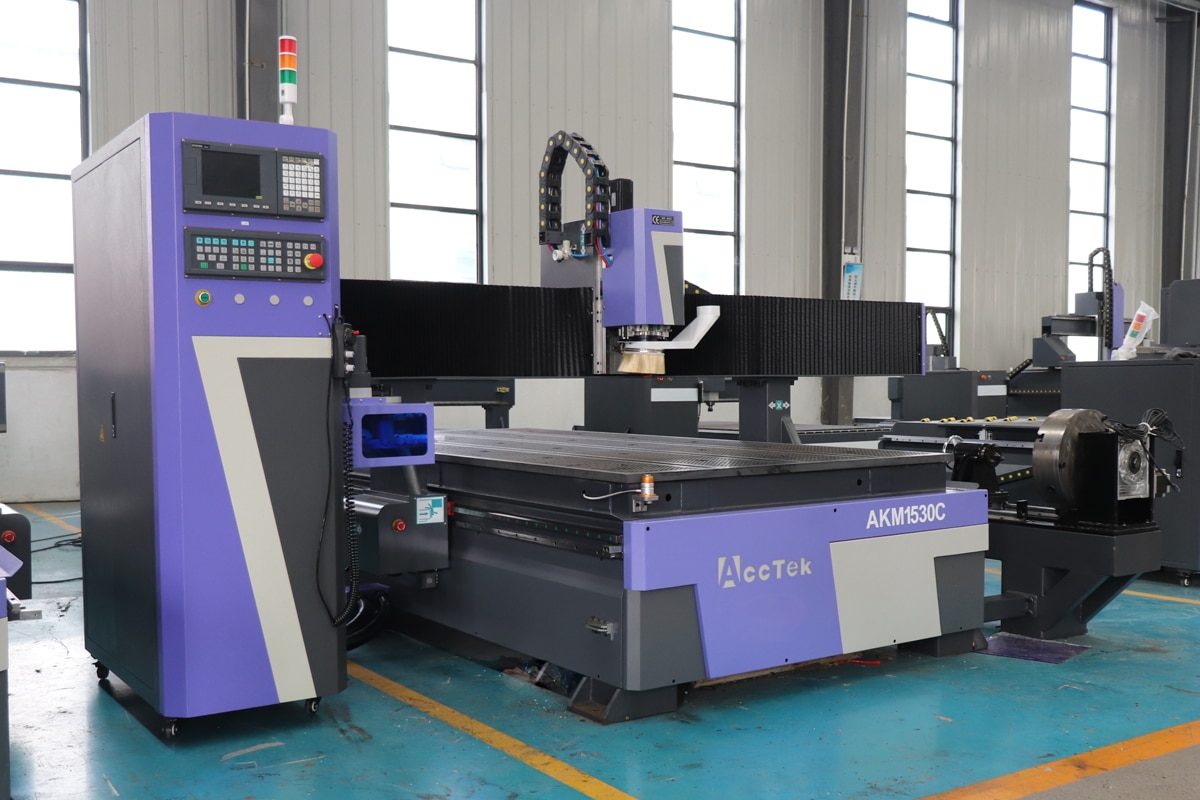
Accuracy is the cornerstone of CNC router performance, directly influencing the quality, consistency, and efficiency of the finished product. Whether you’re machining wood, plastic, metal, or composites, even minor inaccuracies can lead to dimensional errors, material waste, or costly rework. As projects become more complex and tolerances become tighter, consistent precision ensures greater efficiency and customer satisfaction.
This article explores the key factors that affect CNC router accuracy and provides practical strategies for enhancing precision across your setup, from mechanical adjustments and software tuning to environmental controls and maintenance routines. Whether you’re a beginner or a seasoned operator, these insights will help you get the most out of your machine and ensure every cut is exactly as intended.
Machine Setup and Calibration
Proper machine setup and calibration form the foundation for achieving high accuracy with a CNC router. Even a well-built machine can underperform if it’s not correctly installed and aligned. This section explores the key steps involved in setting up and calibrating a CNC router to achieve optimal precision and reliability.
Leveling the Machine Base
The base serves as the structural foundation for the entire machine, and any irregularity at this level can have a ripple effect on all subsequent operations. When the base is not level, it can lead to mechanical stress and warping in the frame, gantry, or guide rails. To properly level the machine:
- Place the CNC router on a stable, vibration-free surface.
- Use a precision bubble level or digital leveling tool to check all corners.
- Adjust leveling feet, shims, or base supports until the entire machine sits evenly, with no rocking or tilt.
- Recheck after final tightening to ensure nothing shifted during the process.
Squaring the Gantry and Frame
Check that the gantry is perpendicular to the machine’s X and Y axes. Misalignment here can cause cuts to skew, especially on large or diagonal patterns. To square the gantry and frame:
- Use a framing square, dial indicator, or calibration tool to confirm 90-degree angles between major components.
- Manually move the gantry to both ends of the machine and ensure the distance from the gantry to the frame is identical on both sides.
- Loosen the frame bolts slightly if needed to adjust the position, then retighten once aligned.
Axis Calibration
Each axis—X, Y, and Z—should be calibrated to ensure they move the correct distances. This involves comparing the actual movement of the machine to the expected movement and adjusting the machine’s controller settings accordingly. This is typically done by:
- Measuring Actual Travel: Use a reliable measuring tool such as a steel ruler, dial indicator, or digital caliper. Command the machine to move a set distance, then physically measure how far it actually moved.
- Adjusting Controller Settings: Access the machine’s control software or firmware and modify the steps-per-unit value for the affected axis based on the measured error to match real movement.
- Retesting and Fine-Tuning: Repeat the test after making adjustments to confirm that the machine now moves the correct distance. Perform this for each axis individually to ensure full machine accuracy.
A well-executed machine setup and thorough calibration process lay the groundwork for consistent and precise performance. By ensuring the base is level, the frame is square, and all axes are correctly calibrated, you minimize mechanical errors and reduce the risk of inaccurate cuts. These initial efforts save time, reduce waste, and provide a reliable foundation for all future projects.
Software and Control Settings
Even with a perfectly calibrated machine, accuracy can still suffer if the software and control parameters are not properly configured. The CNC controller and CAM software directly influence how toolpaths are interpreted and executed. Fine-tuning these digital elements helps eliminate errors caused by incorrect motion commands, poor compensation, or suboptimal cutting strategies.
Controller Tuning
The CNC controller uses a “steps-per-unit” setting to determine how far each motor should move in response to a command. If these values are inaccurate, your machine may cut parts slightly larger or smaller than intended. After physically calibrating the axes, make sure these values are updated in your controller software. Additionally, pay attention to acceleration, feed rate, and jerk settings:
- Acceleration defines how quickly the machine ramps up to its full speed. If it’s too fast, the machine may vibrate or lose steps.
- Feed rate controls the cutting speed. Inaccurate feed settings can cause chattering, burning, or imprecise cuts.
- Jerk determines the rate of change of acceleration. Sudden motion changes can lead to overshooting or mechanical stress.
Compensation Settings
Compensation settings help the CNC router account for physical imperfections and tool dimensions that can affect accuracy during operation.
- Backlash Compensation: Backlash occurs when there is a slight delay or “gap” in movement as the direction of an axis changes, often due to wear in lead screws or loose mechanical connections. Most CNC control software includes a backlash compensation feature, which adjusts motion commands to counteract this lag and maintain dimensional accuracy.
- Tool Diameter Compensation: Tools have width, and that width affects how the machine interprets the edge of a toolpath. If the software doesn’t account for the tool diameter, the cut can shift inward or outward, depending on the direction. Tool diameter compensation (typically G41/G42 in G-code) allows you to offset the toolpath so the edge of the tool follows the intended design precisely.
- Tool Wear Compensation: Over time, cutting tools dull or slightly reduce in diameter due to wear. If not accounted for, this can lead to progressive dimensional errors in repeated jobs. Some advanced control systems allow tool wear compensation, where operators can input a small adjustment value without regenerating toolpaths.
CAM Software Optimization
Optimizing your CAM (Computer-Aided Manufacturing) software is beneficial for translating design files into accurate and efficient toolpaths. Careful attention to how toolpaths are generated and executed can dramatically improve the final outcome.
- Use High-Resolution Toolpaths: Always select a higher resolution or tighter tolerance when generating toolpaths to ensure smooth and accurate motion, especially for finishing passes.
- Choose the Right Stepover and Stepdown: Use smaller stepovers for finishing operations and appropriate stepdowns that match your material and tool strength to minimize deflection and chatter.
- Review Post-Processor Settings: Make sure you’re using the correct post-processor for your specific machine and controller. Incorrect output can lead to unexpected tool movements or compatibility issues, especially with units (inches vs. millimeters) or coordinate systems.
Proper configuration of your software and control system bridges the gap between design and execution. By fine-tuning these settings and using precise toolpath strategies, you ensure that your CNC router executes every command with the highest level of accuracy.
Tooling Accuracy
The accuracy of your CNC router depends not only on the machine itself but also heavily on the tooling you use. Even the most precisely calibrated CNC system can produce poor results if the cutting tools or holders are flawed. Ensuring tooling accuracy means paying close attention to tool condition, selection, and mounting.
Quality and Condition of Tools
The quality and condition of your cutting tools have a direct impact on the accuracy, surface finish, and overall success of CNC router operations. High-quality tools are manufactured with tighter tolerances, better balance, and more durable materials. They resist deflection under load, maintain sharper edges for longer periods, and deliver more consistent results across different materials. Investing in reliable tooling reduces the frequency of tool changes and minimizes the risk of accuracy loss during production.
Equally important is the condition of the tool. A dull or chipped cutting edge can cause excessive friction, burning, or chatter, all of which degrade the precision of the cut. Regularly inspect tools for visible wear, chips, or discoloration. Replace or resharpen them before they begin to affect cut quality. Maintaining sharp, balanced, and material-appropriate tools is one of the simplest yet most effective ways to ensure CNC routing accuracy, job after job.
Tool Holder and Collet Inspection
Tool holders and collets must grip the tool securely and concentrically. Dirt, debris, or wear inside the collet can cause runout, where the tool spins slightly off-center, leading to wider kerfs, rough edges, or inconsistent cut depths. Over time, collets can lose their gripping strength due to metal fatigue. To maintain accuracy:
- Clean the collet and tool holder thoroughly before each use.
- Inspect for cracks, burrs, or signs of scoring.
- Avoid over-tightening, as it can damage both the tool and the collet.
- Replace collets after extended use or when they no longer hold the tool firmly.
- Avoid mixing collets and holders from different brands unless verified compatible.
Tool Length Measurement
If the tool length is not correctly set, the machine may cut too deep or too shallow, resulting in poor part quality, inconsistent engraving depth, or even damage to the workpiece or machine bed. There are two common methods for setting tool length:
- Manual Zeroing: This involves using a feeler gauge, paper method, or touch-off block to manually set the tool height relative to the workpiece or spoilboard. While effective, it requires consistency and attention to detail from the operator.
- Automatic Tool Measurement Systems: Many modern CNC routers are equipped with tool length sensors or automatic tool setters. These systems allow the machine to detect the exact tip location of the tool and update the Z-axis offset automatically. This reduces human error, speeds up setup time, and ensures reliable results, especially when changing tools frequently.
Regardless of the method used, always re-check the tool length when changing bits or adjusting the spindle. Consistent and accurate tool length measurement is key to achieving uniform cutting depth, clean finishes, and high-precision results across all jobs.
Accurate tooling isn’t just about using the right bit—it’s about maintaining precision at every stage of tool handling. By prioritizing tool condition, alignment, and fit, you can significantly enhance cutting accuracy and extend the lifespan of both your tools and your CNC machine.
Workholding and Material Setup
CNC routers will produce inaccurate results if the material shifts during cutting or is unevenly placed. Proper workholding and material setup are beneficial for maintaining stability, minimizing vibration, and ensuring consistent cutting depth across the workpiece.
Workpiece Clamping
If the material shifts even slightly while cutting, it can throw off the entire toolpath, resulting in misaligned cuts, uneven edges, or scrapped parts. Clamping keeps the material securely in place, ensuring that the machine operates on a stable and consistent surface throughout the job.
There are various clamping methods, including mechanical clamps, T-slot clamps, toggle clamps, and vacuum tables. The choice depends on the material type, size, and thickness. Ensure that clamps are not only tight but also positioned to avoid tool interference.
To check that the workpiece lies flat against the spoilboard. Gaps between the material and the base can lead to vibration, poor surface finish, or inconsistent Z-axis depth. By taking the time to secure the material properly, you eliminate one of the most common sources of error in CNC routing and significantly improve cutting precision.
Surface Flattening
Surface flattening is a crucial step to ensure consistent Z-axis accuracy across the entire workpiece. Even slight warping or thickness variations in the material can lead to inconsistent cutting depths, uneven engraving, or tool marks. Flattening creates a uniform reference surface, allowing the CNC router to maintain precise vertical positioning throughout the job. The most common method for surface flattening is using a surfacing (or fly-cutting) bit to plane the top of the spoilboard or the material itself. This process removes high spots and levels out any irregularities.
Regular spoilboard surfacing is also recommended. Over time, the spoilboard can become grooved or warped from repeated use. By resurfacing it periodically, you ensure the material always sits flat and even, creating the ideal foundation for high-precision machining. Surface flattening helps maintain depth consistency, improves part quality, and reduces the risk of incomplete cuts or tool damage due to unexpected material height differences.
Use of Vacuum Tables or Fixtures
Vacuum tables and custom fixtures provide advanced workholding solutions that greatly enhance CNC router accuracy, especially when dealing with large, thin, or irregularly shaped materials. Unlike mechanical clamps, vacuum systems apply even suction across the entire underside of the workpiece, securing it flat without physical obstructions.
Vacuum tables are ideal for holding sheet materials like MDF, plywood, plastics, or aluminum. They reduce vibration, prevent lifting or shifting, and maintain consistent contact with the spoilboard. This improves Z-axis depth control and eliminates the risk of uneven cuts caused by warped or loosely held stock. For irregular shapes or repeated parts, custom fixtures or jigs can be designed to ensure consistent positioning and alignment.
Both vacuum tables and fixtures improve reliability, reduce human error during setup, and ensure the workpiece remains stable throughout the cutting process, resulting in cleaner edges, tighter tolerances, and overall better machining accuracy.
Proper workholding and material setup are not just about securing the material, they are about creating a stable, predictable environment in which every pass of the tool yields consistent, high-quality results. A few minutes spent on correct setup can prevent hours of troubleshooting or material waste.
Advanced Accuracy Techniques
Once the basics of machine setup, calibration, and tooling are mastered, advanced techniques can further push the precision of CNC routers. These methods involve specialized tools and systems that reduce human error, improve repeatability, and automate critical accuracy-related processes.
Use of Probes and Auto Tool Calibration
Probes and automatic tool calibration systems are powerful tools for enhancing the accuracy and repeatability of CNC router operations. These technologies help eliminate human error in setup and ensure consistent precision.
Probing systems are typically used for automatic workpiece alignment, edge finding, and surface detection. A touch probe can locate the exact X, Y, and Z coordinates of a material edge or feature, allowing the controller to precisely set the origin point. This ensures that cuts are positioned exactly where intended, even if the material is not perfectly aligned on the table. Probing also helps in detecting part warping or irregularities in the surface height, which can then be accounted for in the toolpath.
Auto tool calibration (also known as tool length measurement) automates the process of determining each tool’s exact length. With a tool sensor or touch plate installed on the machine, the CNC router can automatically measure the distance from the spindle to the table or material surface. This data is used to update the Z-axis offset, ensuring every tool cuts at the correct depth, even after tool changes.
Laser Alignment Tools
Laser alignment tools are highly effective for fine-tuning the mechanical geometry of a CNC router, ensuring that the machine’s structural components are perfectly aligned. Even slight misalignments in the gantry, rails, or spindle can lead to inaccuracies in cuts, such as skewed lines, uneven edges, or inconsistent depth. Laser tools provide a fast, precise, and non-contact way to detect and correct these issues.
One common use is checking gantry squareness by projecting a straight laser line across the bed, you can easily compare it to the travel path of the gantry or the edge of the work area. Any deviation indicates that the frame or axis needs adjustment. Similarly, spindle alignment can be verified by projecting a laser dot or line down the Z-axis and checking its consistency along the vertical plane. Unlike manual methods that rely on measuring tapes and squares, lasers offer visual confirmation with high precision, making it easier to spot tiny misalignments that could impact part accuracy.
Closed-Loop Servo Systems
Closed-loop servo systems are a significant upgrade from traditional open-loop stepper motor systems, offering real-time feedback and automatic error correction that greatly enhances CNC router accuracy. In a closed-loop system, each servo motor is paired with an encoder that continuously monitors the motor’s position and speed. This data is sent back to the controller, which adjusts commands on the fly to maintain precise movement. Though more expensive than stepper systems, closed-loop servos offer superior control, making them ideal for professional or industrial-grade CNC routers.
By incorporating advanced techniques such as probing systems, laser alignment, and closed-loop feedback, CNC users can achieve higher levels of precision, reduce setup time, and improve repeatability, especially in demanding or professional manufacturing environments.
Regular Maintenance and Quality Checks
Maintaining CNC router accuracy is not a one-time task, it requires ongoing care, routine inspections, and preventative maintenance. Over time, even the most precisely tuned machine can drift out of alignment due to wear, vibration, debris buildup, or environmental factors. Regular maintenance and quality checks help ensure the machine continues to perform at peak accuracy and prevent small issues from turning into costly problems.
- Create a Maintenance Schedule: Establish a routine maintenance plan based on usage frequency and manufacturer recommendations. Daily tasks might include cleaning the work area and checking for loose bolts, while weekly or monthly tasks can involve lubricating linear guides, inspecting belts or ball screws, and testing safety features.
- Inspect for Wear and Play: Routinely inspect moving parts, such as lead screws, linear rails, bearings, and motor couplings, for signs of wear, looseness, or backlash. Even minor mechanical play can lead to loss of precision. Replace worn components as needed to maintain tight tolerances.
- Monitor Calibration and Alignment: Periodically recheck machine leveling, gantry squareness, and axis calibration. These checks are especially important after moving the machine, installing new components, or completing a large volume of work. Use tools like dial indicators, precision squares, or laser alignment devices to verify geometry.
- Clean Tooling and Holders: Dust, debris, and resin buildup can affect the performance of tools and collets. Regularly clean and inspect tool holders, collets, and tool sensors to prevent slippage, runout, or inaccurate measurements.
- Run Quality Control Test Cuts: Perform routine test cuts on scrap material to check for dimensional accuracy and repeatability. Compare the finished part dimensions to the CAD model, and log any deviations for trend analysis. This helps identify mechanical drift or software issues before they affect real projects.
By integrating routine maintenance and quality checks into your workflow, you extend the life of your CNC router, reduce downtime, and maintain the high level of precision needed for professional results. Consistent upkeep is the backbone of long-term accuracy and reliable production.
Summarize
Improving the accuracy of a CNC router requires a comprehensive approach that combines proper setup, precise calibration, careful tool selection, optimized software settings, and reliable workholding. Regular maintenance and the adoption of advanced techniques like probing systems and laser alignment further enhance performance and consistency. By applying the strategies covered in this guide, you can reduce errors, improve efficiency, and get the most out of your machine.
Choosing a reliable CNC router manufacturer is key to achieving long-term accuracy and performance. AccTek CNC is a trusted CNC router manufacturer in China, known for producing reliable and high-precision machines. With quality components, user-friendly control systems, and strong after-sales support, AccTek CNC provides a solid foundation for achieving accurate and consistent results in various cutting applications. Contact us now to get professional CNC custom solutions.