

- Leitura de 8 a 13 minutos
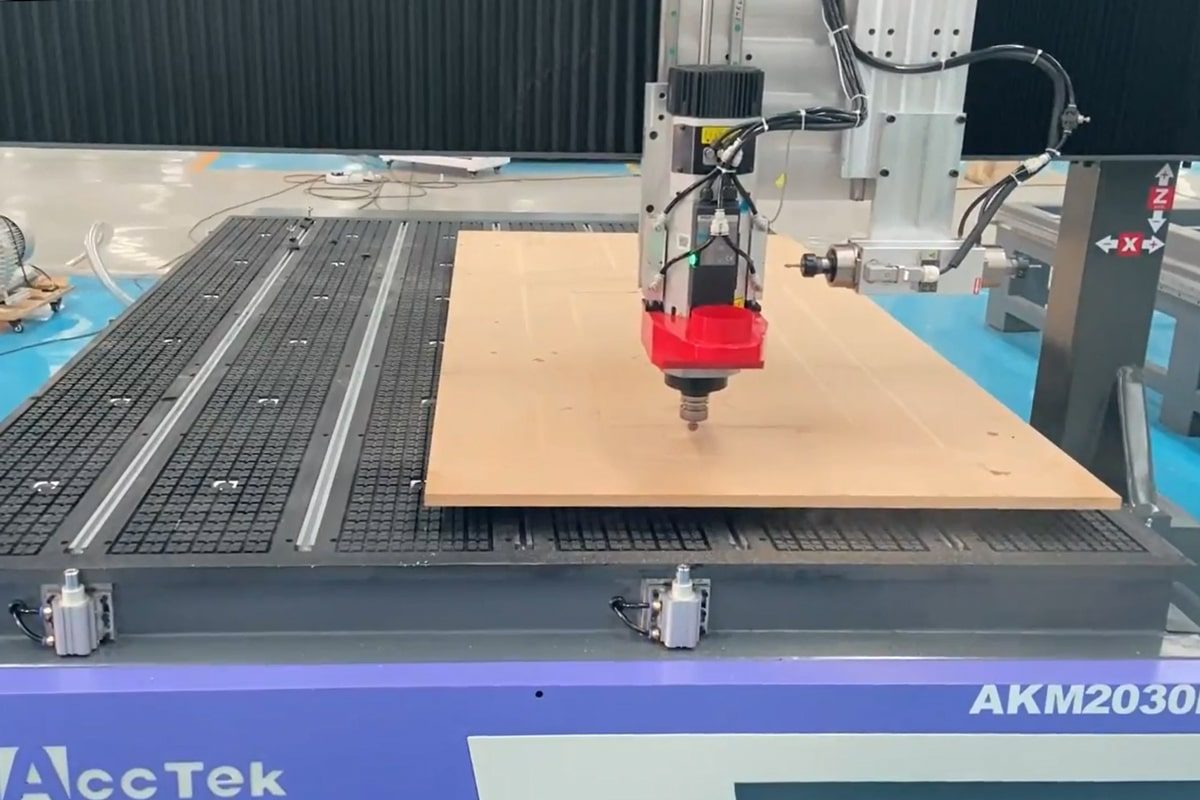
Losing steps or skipping steps is a common but serious issue that can affect the performance and accuracy of your roteador CNC. When this happens, the machine’s motors fail to follow the intended toolpath precisely, resulting in misaligned cuts, uneven surfaces, or incomplete parts. These errors not only compromise the quality of your work but can also lead to wasted materials, production delays, and costly rework.
In this article, we’ll explore the root causes of lost or skipped steps in CNC routers and guide you through a structured approach to troubleshooting and prevention. Whether you’re a seasoned operator or a new user, understanding why this happens and how to respond effectively will help ensure your CNC router performs reliably and accurately.
Understanding Step Loss in CNC Routers
Step loss is a critical issue that can significantly affect the performance and accuracy of your CNC router. To effectively troubleshoot and prevent it, it’s important first to understand what step loss actually is and how to recognize its common symptoms during operation.
What Is Step Loss?
Step loss refers to a situation where the CNC router’s motor fails to move in sync with the control signals it receives. In systems using stepper motors, each electrical pulse sent from the controller is intended to move the motor one discrete step. If the motor encounters too much resistance, lacks sufficient torque, or suffers from a power or driver issue, it may not complete the step. However, because stepper systems operate in an open loop (without feedback), the machine assumes the motion was completed and continues executing the program as if everything is on track. In servo motor systems with closed-loop feedback, step loss can still occur due to overload or tuning problems, but the system is better equipped to detect and correct such issues in real time.
When a step loss happens, the router’s tool head becomes misaligned from its expected position. This misalignment can result in crooked cuts, incorrect dimensions, overlapping toolpaths, or even ruined parts. The severity of the impact depends on how many steps are lost and at what point in the machining process it occurs. In precise applications, such as engraving, inlay work, or part assembly, even a small deviation can render a piece unusable. Over time, repeated step loss can also stress mechanical components, reduce machine lifespan, and negatively affect production consistency.
Common Symptoms of Step Loss
Recognizing the signs of step loss is beneficial for preventing further damage or production waste. Some of the most common symptoms include:
- Misaligned Cuts: The toolpath doesn’t match the design, resulting in shifted or skewed parts.
- Layer Shifting: In multi-pass operations, each layer may appear slightly off from the previous one.
- Incomplete Toolpaths: Portions of the program may be skipped entirely, especially during sharp changes in direction or high-speed moves.
- Unexpected Vibration or Noise: You may hear grinding, buzzing, or skipping sounds when the motor fails to complete its steps.
- Inconsistent Part Quality: Identical jobs produce different results due to unpredictable positioning errors.
Understanding what step loss is and how it presents itself, CNC router users can begin to identify the root causes early and take appropriate corrective actions. In the next sections, we’ll explore what typically causes step loss and how to systematically troubleshoot and prevent it.
Causes of Step Loss or Skipped Steps
Understanding why step loss occurs is the first step toward solving it. Step loss can result from various mechanical, electrical, or software-related issues. Identifying the source of the problem requires a careful inspection of both hardware components and system settings. Below are the most common causes of step loss or skipped steps in CNC routers:
Problemas Mecânicos
- Loose Couplings or Screws: If motor shafts, lead screws, or belts are not securely fastened, the motor may rotate without effectively moving the axis.
- Slipping Belts or Pulleys: Worn-out or improperly tensioned belts can cause motion slippage, especially during rapid direction changes.
- Backlash or Play: Excessive backlash in ball screws or linear bearings can cause the machine to lag or overshoot during reversals.
- Debris or Obstructions: Dust, chips, or grime on the linear rails or guideways can increase friction, leading to motor resistance and step loss.
Problemas Elétricos
- Insufficient Motor Current: Motors that are underpowered due to low current settings may not generate enough torque to overcome load resistance.
- Driver Overheating or Malfunction: Overheated or faulty motor drivers can miss steps or intermittently shut down.
- Poor Electrical Connections: Loose wiring, bad solder joints, or failing connectors can interrupt signal transmission to the motors.
- Power Supply Instability: Sudden voltage drops, insufficient amperage, or power surges can cause motors to stall or reset.
Motion Control Settings
- Excessive Acceleration or Speed: If the router is commanded to move faster than the motor can handle, it may skip steps, especially at corners or tight curves.
- Incorrect Microstepping Settings: Improper driver configurations can result in jerky movements or insufficient torque at higher speeds.
- Inadequate Ramp Settings: A poorly tuned acceleration/deceleration curve can make transitions too abrupt, leading to missed steps.
Software and G-code Issues
- Corrupt or Poorly Generated G-code: Errors in the G-code or overly complex toolpaths can cause the router to behave unpredictably.
- Incompatibility Between CAM and Machine Settings: Differences in post-processor configuration or machine capabilities may result in moves that exceed mechanical limits.
Fatores Ambientais e Externos
- Vibrations from Nearby Equipment: Vibrations from other machinery can disrupt precise movements.
- Temperature Extremes: High or low temperatures can affect the performance of motors, drivers, and lubrication.
- Unstable Machine Base: A machine not properly anchored or leveled can shift slightly during operation, leading to inaccuracies.
By identifying which of these areas might be contributing to your CNC router’s step loss, you can take targeted corrective actions. The next section will guide you through a structured troubleshooting process to isolate and resolve the issue effectively.
Guia passo a passo para solução de problemas
When your CNC router starts losing or skipping steps, it’s essential to take a systematic approach to identify the root cause. A structured troubleshooting process allows you to pinpoint the root cause efficiently and take corrective action. The following step-by-step guide will walk you through a comprehensive inspection of your machine, helping you restore precision and avoid repeated failures.
Realizar uma inspeção visual
Start by turning off the machine and checking for obvious mechanical issues:
- Look for loose screws, pulleys, or couplings on all axes.
- Inspect belts for signs of wear, slack, or misalignment.
- Check for debris or obstructions on the linear rails, ball screws, and guideways.
Jog Each Axis Manually
Use the control software to manually jog the machine:
- Move each axis slowly and listen for unusual sounds like grinding or skipping.
- Feel for inconsistent resistance or sudden jerks in motion, which may indicate mechanical binding or lack of lubrication.
Check Motor Driver Settings
Power down the system and inspect your motor driver configuration:
- Verify that the current settings match the motor specifications. Undersupplying current may reduce torque.
- Ensure microstepping is configured correctly to avoid resolution and torque issues.
- Check for heat buildup—overheated drivers can cause temporary shutdowns.
Teste as conexões elétricas
Faulty wiring is a common cause of intermittent step loss:
- Inspect motor and driver wiring for loose connectors or exposed wires.
- Tighten all terminal screws and check for damaged cables.
- Use a multimeter to confirm continuity and voltage levels at key points.
Monitor the Power Supply
Ensure your power supply delivers consistent, adequate power:
- Measure voltage output under load conditions.
- Listen for signs of instability, such as fans slowing down or motors stuttering during heavy cuts.
- Replace an aging or insufficient power unit if fluctuations are detected.
Review Control Software Parameters
Reviewing and adjusting parameter settings can significantly improve performance and accuracy.
- Checking the maximum feed rate and travel speed for each axis. Try reducing the feed rate by 20–30% to test stability
- Acceleration and deceleration settings with too aggressive values can overwhelm the motors. Smoother acceleration curves reduce stress on the system and improve stability.
- Verify the step pulse and direction timing, ensure they are within limits for your driver and controller.
Simulate and Inspect G-code
Bad G-code can cause irregular movements:
- Load the G-code into a simulator or preview tool to check for sudden or erratic moves.
- Regenerate the file using conservative settings to test a smoother version.
- Check that your post-processor matches the CNC router’s actual capabilities.
Run a Simple Test Program
Create a basic square or circular toolpath to evaluate performance:
- Run the job slowly and watch for drift or axis misalignment.
- Stop immediately if any strange movement occurs to prevent damage.
By working through each of these steps, you’ll be able to isolate the cause of step loss and take targeted corrective action. Once the issue is resolved, be sure to document the fix and consider implementing preventive measures to avoid recurrence. In the next section, we’ll cover how to keep your CNC router running smoothly by putting solid maintenance and optimization practices in place.
Preventive Measures to Avoid Step Loss
Preventing step loss in a CNC router requires proactive maintenance, proper setup, and attention to both mechanical and electrical details. By implementing the following preventive measures, you can greatly reduce the risk of skipped steps and ensure consistent machine performance.
- Perform Routine Maintenance: Regularly clean and lubricate linear rails, ball screws, and guideways to minimize friction and resistance. Remove dust, chips, and debris after each job to prevent buildup that can interfere with smooth movement. Lubricate mechanical parts according to the manufacturer’s schedule to ensure smooth motion and reduce wear on key components.
- Tighten Mechanical Components: Check and tighten all mechanical connections, including motor couplings, pulleys, belts, and frame bolts. Loose components can lead to backlash, vibration, or slipping during high-speed moves. Ensuring that everything is securely fastened helps maintain motion accuracy and system stability.
- Optimize Motor Driver Settings: For stepper motors, ensure the current and microstepping settings are appropriate for the machine’s load and speed. For servo motors, confirm that feedback loops and PID settings are correctly adjusted to prevent oscillation or lag. Verify that microstepping and pulse timing settings are compatible with your motors and controller. Both systems benefit from proper driver configuration and signal timing.
- Optimizing Tool Path: Set conservative values for acceleration, deceleration, and max feed rates. Avoid overly sharp corners or abrupt direction changes that can cause sudden acceleration spikes. Use smooth, continuous curves where possible and reduce unnecessary rapid travel that can exceed motor capabilities.
- Use High-Quality Power Supply: Invest in a stable, properly rated power supply that can handle the peak demands of your system. Use surge protection or a UPS to guard against voltage fluctuations that may affect motor performance.
- Proper Machine Preheating: Just like other precision equipment, CNC routers perform more consistently once they reach stable operating temperatures. Allow the machine to warm up by running low-speed movements before beginning high-speed cutting tasks. This helps stabilize lubricants and eliminates minor thermal expansion issues.
- Environmental Control: Keep your CNC router in a stable environment to avoid external factors that can lead to step loss. High humidity can cause corrosion and increase friction, while low temperatures can make lubricants less effective. Additionally, minimize exposure to vibrations from nearby machines and ensure the machine is placed on a solid, level surface to avoid movement during operation.
- Inspect and Replace Worn Components: Regularly inspect belts, bearings, lead screws, and linear guides for wear. Replace any components showing signs of fatigue or damage before they affect accuracy.
- Keep Software and Firmware Updated: Ensure your control software and firmware are up to date, as newer versions often include bug fixes, motion optimization, and improved compatibility with hardware.
Incorporating these preventive measures into your daily routine and operational setup, you can significantly reduce the risk of CNC router step loss, extend the lifespan of your equipment, and maintain consistent, high-quality results in every job.
When to Upgrade or Replace Components
Even with proper maintenance and careful operation, components of a CNC router can wear out over time or become outdated. Recognizing when to upgrade or replace specific parts is beneficial for avoiding recurring step loss and improving machine performance. Here are key signs and situations when it’s time to consider replacement or upgrades:
- Frequent Step Loss Despite Troubleshooting: If you have followed all standard troubleshooting steps and are still experiencing lost steps, this could be an indication that the motor, drive, or mechanical components have reached the end of their life and are no longer able to operate reliably.
- Worn Mechanical Components: Inspect belts, lead screws, ball screws, bearings, and linear guides regularly. If you notice signs of wear such as slack belts, play in the motion system, increased vibration, or noise during movement, it’s time to replace those parts. Worn components can increase backlash and reduce cutting accuracy.
- Overheating or Failing Motor Drivers: Motor drivers that consistently overheat, shut down intermittently, or produce inconsistent signals can result in skipped steps or stalled axes. Replacing them with higher-quality or better-cooled models can restore stability and torque reliability.
- Underpowered Motors for Current Workload: If you’ve increased production speed or started working with denser materials, your existing stepper or servo motors might no longer provide adequate torque. Upgrading to higher-torque motors or switching from stepper to servo systems can improve responsiveness and eliminate step loss under heavy loads.
- Outdated Control Electronics: Older motion controllers or firmware may not support modern tuning features or motion smoothing algorithms, limiting your ability to prevent step loss. Consider upgrading to a newer controller with better motion control, higher resolution step outputs, and improved software compatibility.
- Signs of Electrical Fatigue: Cracked insulation, worn connectors, and intermittent signal loss are all signs that wiring and electrical connections need replacement. Failing to replace deteriorated cables can result in hard-to-diagnose performance issues.
Proactively upgrading or replacing aging components not only helps prevent step loss but also enhances the performance, reliability, and productivity of your CNC router. Regular evaluation of machine condition ensures you stay ahead of issues before they lead to costly downtime.
Resumir
When your CNC router loses or skips steps, it’s crucial to address the issue promptly through careful inspection and methodical troubleshooting. Most can be resolved with proper maintenance, secure connections, correct motor settings, and optimized toolpaths. Taking preventive measures helps reduce the risk of recurrence. Staying proactive, a well-maintained CNC router not only protects your investment but also keeps your production workflow smooth and efficient.
At AccTek CNC, we specialize in providing high-quality CNC routers along with complete technical guidance to help you maintain peak machine performance. If you’re facing recurring issues or simply want to upgrade to a more powerful, efficient CNC system, AccTek can provide tailored solutions that match your production needs. Contact us today to get professional CNC routing support and keep your operations running with confidence.